ScrollAlbum app icon

Your whole trip,
one long line.

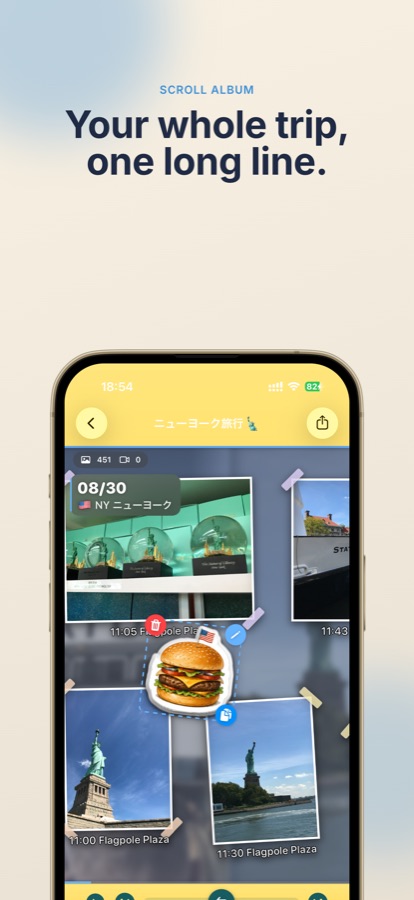
ScrollAlbum arranges your travel photos and videos along a single long horizontal timeline. Scroll back through the trip, then export the whole thing as a video with music.
🗺 Maps trace your route 🍔 78 built-in stamps 🎬 Export as video 📱 iPhone only
Scroll to try it
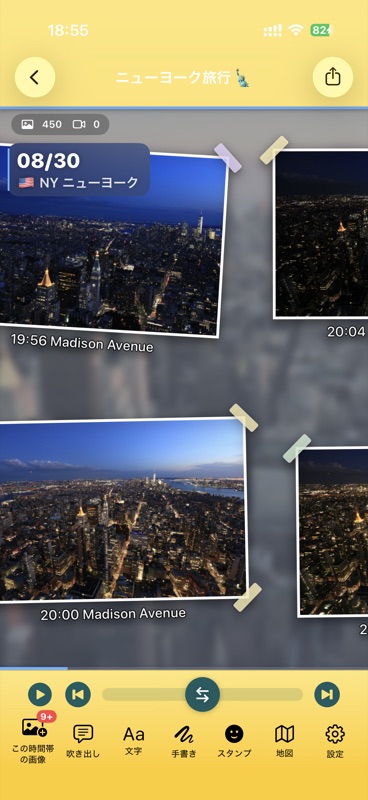
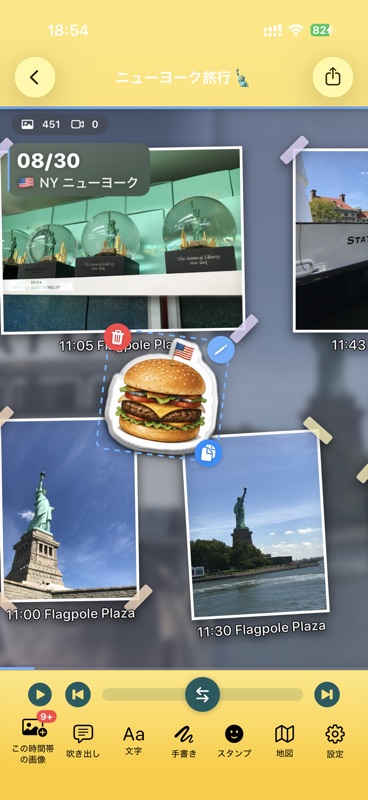
Main screen with photos arranged in time order
TimelineA day laid out sideways
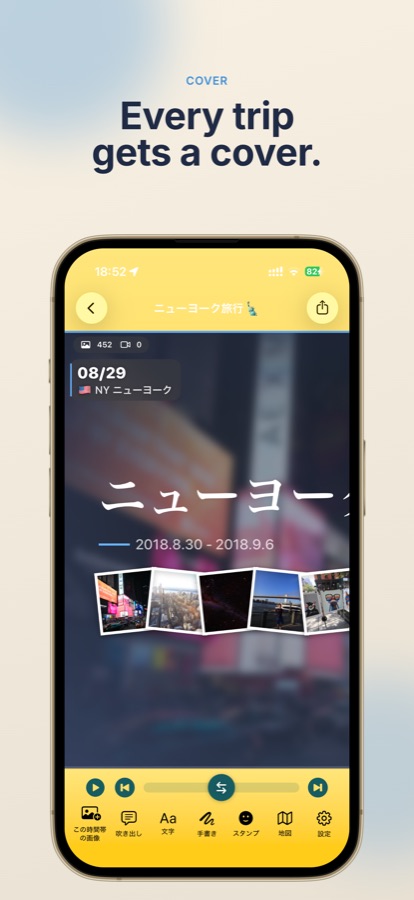
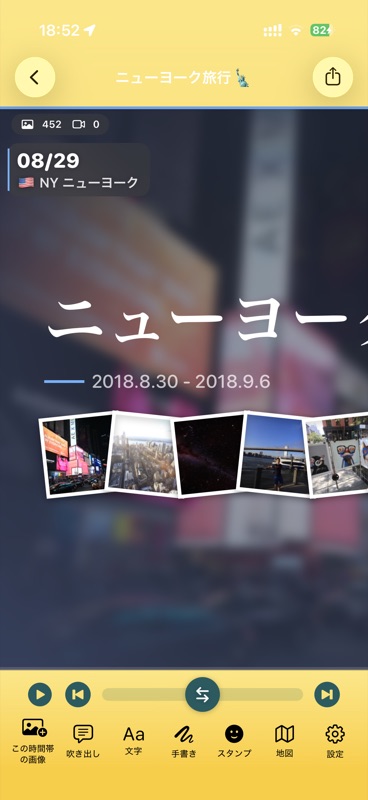
Album cover screen
CoverEvery trip gets a cover
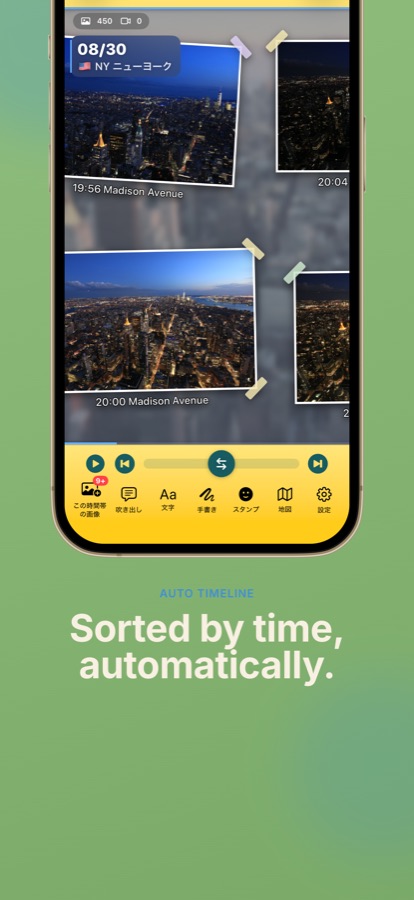
Night photos on the timeline
AutoSorted by time for you
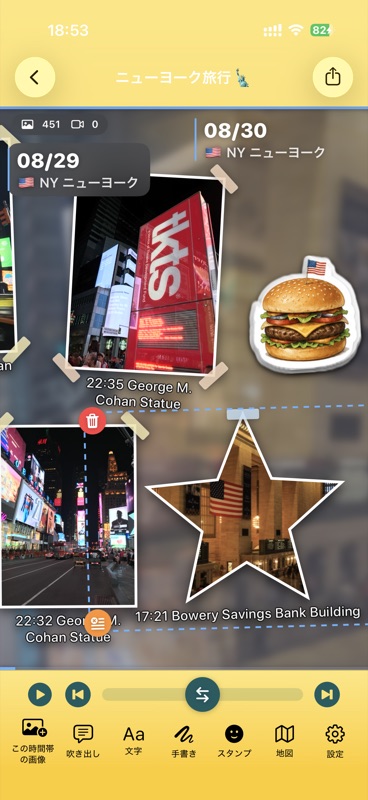
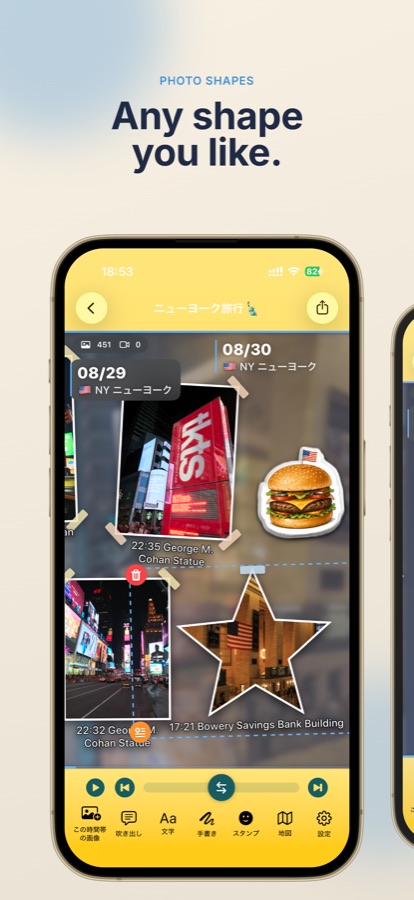
Star-shaped photo cutout with stamps
ShapesAny shape you like
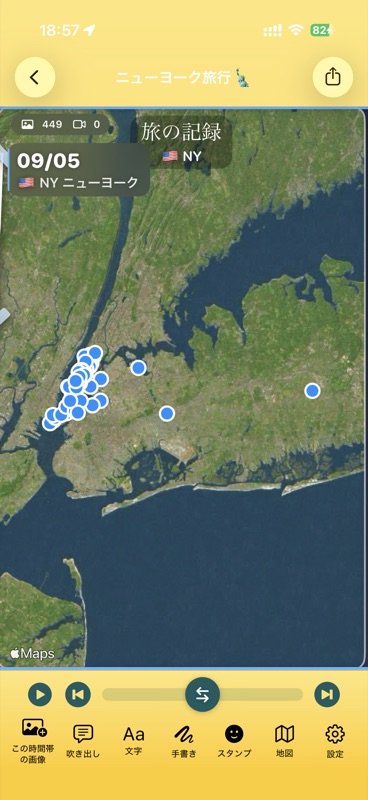
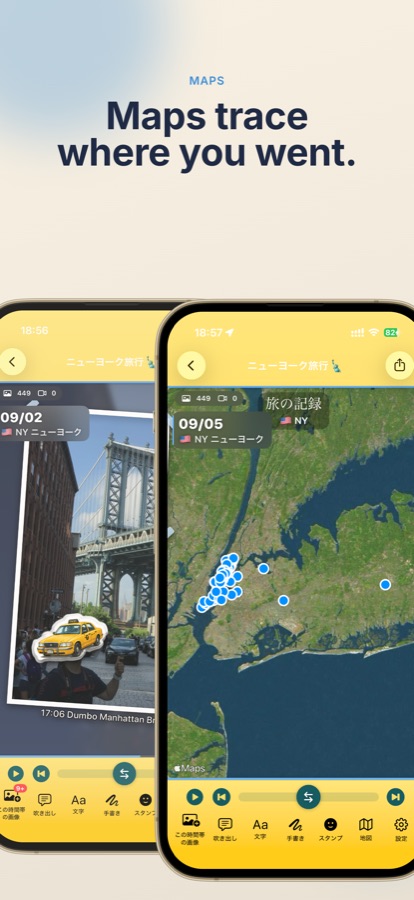
Trip record shown on a map
MapsMaps trace where you went
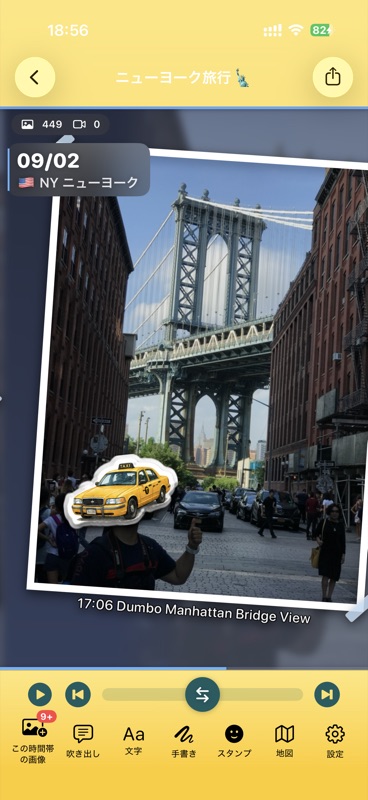
Taxi stamp placed on a photo
StampsMatched to the photo
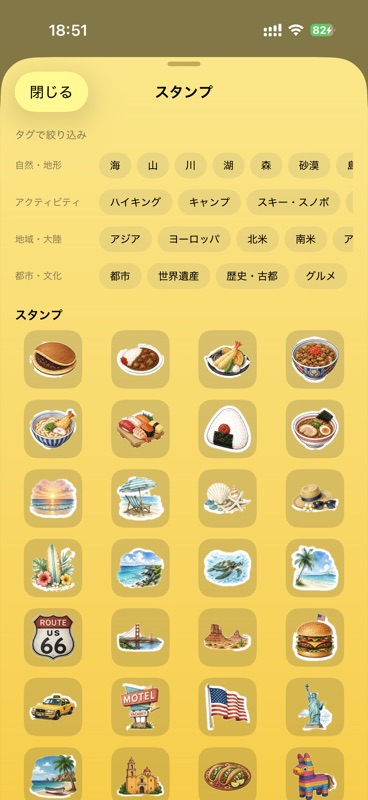
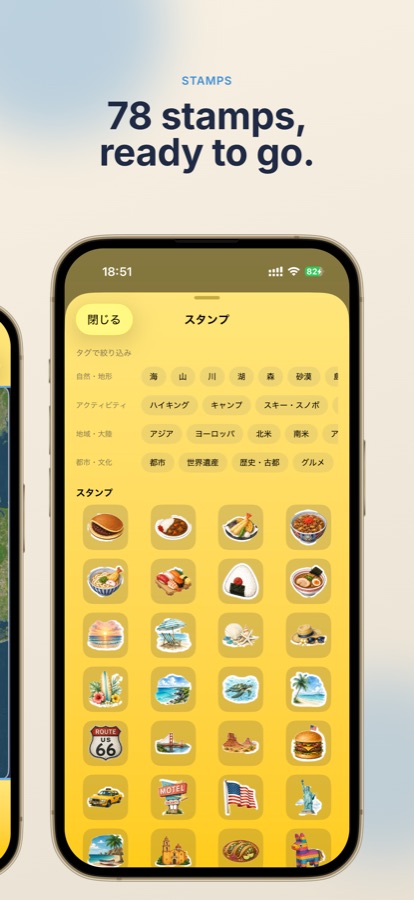
Stamp library
LibraryPick from 78
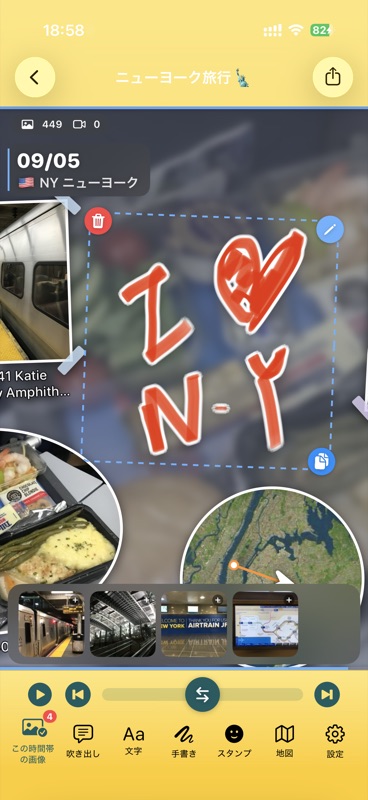
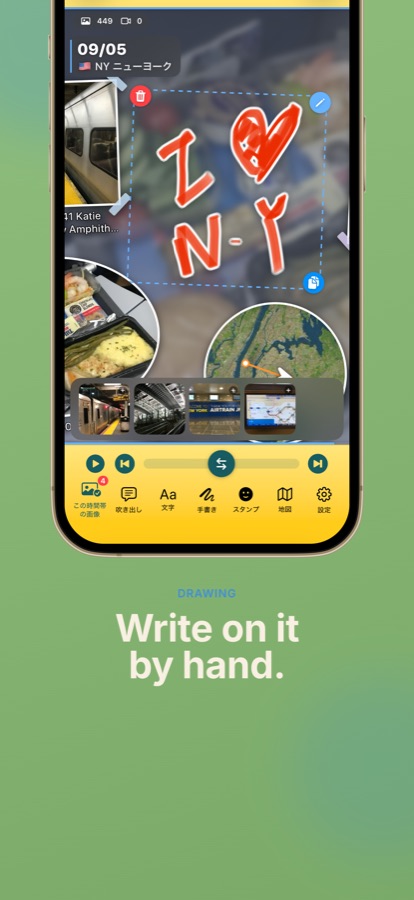
Hand-drawn lettering on the timeline
DrawingWrite on it by hand
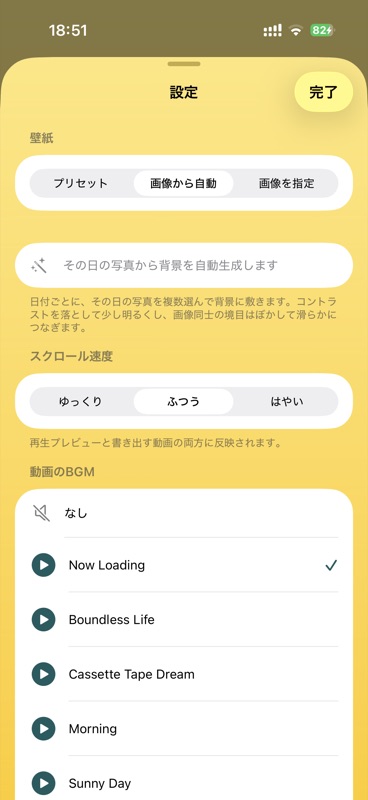
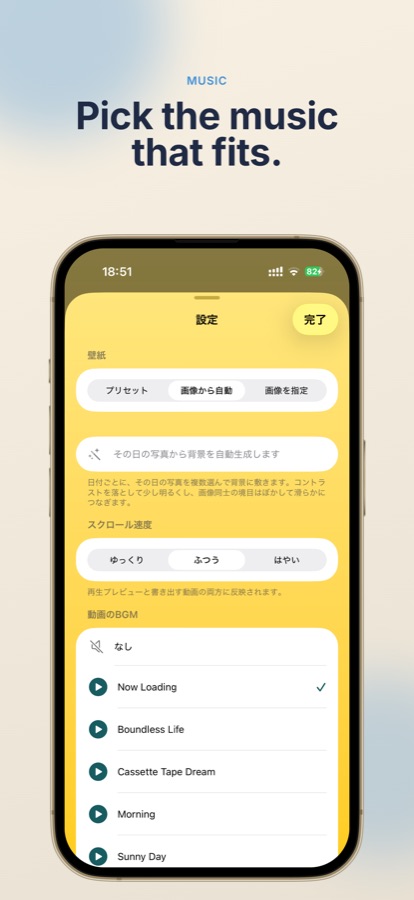
Background music picker
MusicPick the music that fits
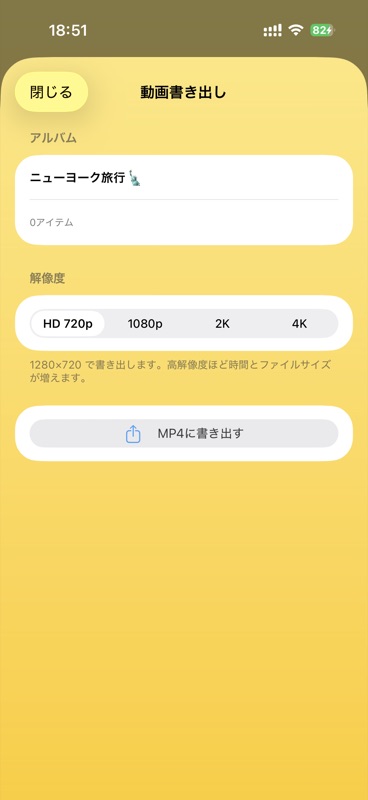
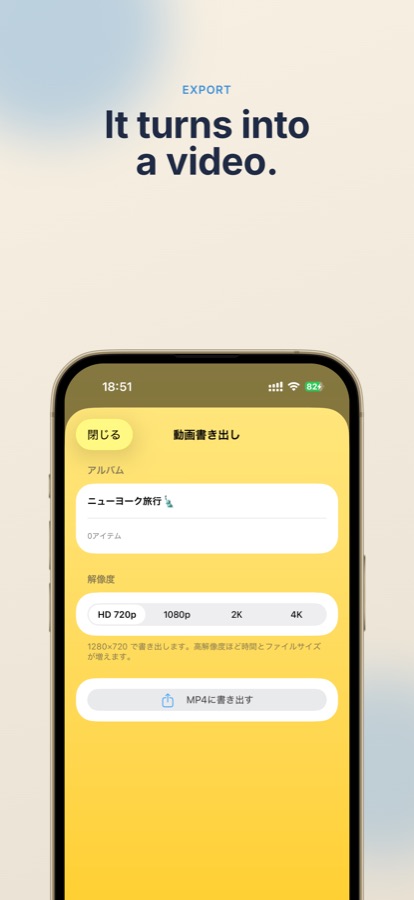
Video export settings
ExportIt turns into a video
Features

The photos you never looked at
become a trip again.

Pick the dates and the rest happens on its own. Decorate however you like.

📅

Just pick the dates

Set the dates of your trip and the app gathers photos and videos from your library into a timeline. It starts with camera shots only, so screenshots don't get mixed in.

🗺

Maps trace your journey

Using location data, circular maps mark the spots you visited and route maps follow how you moved. At the end you get a trip record grouped by country or region.

🍔

78 built-in stamps

Stamps are placed automatically to match what's in the photo and the country you visited. You can also make your own stamps from your images.

✂️

Decorate it your way

Washi tape, tilt, white borders, and ellipse / star / hexagon cutouts. Plus text, speech bubbles, and freehand drawing with your finger or Apple Pencil.

🎬

Export as a video

Your timeline exports as a video that scrolls from left to right. Choose HD 720p, 1080p, 2K, or 4K, preview and pick background music, and adjust the scrolling speed.

🔒

Your photos stay as they are

This app never deletes or rewrites your photos. You can rotate them or change favorites from here if you want to.

Screenshots

Here's how it looks

Drag, or use the left and right arrow keys.
How it works

Three steps

Pick the dates

Set the day you left and the day you came back. The app collects everything from your photo library.

Scroll and decorate

Look back through the timeline and add stamps or handwriting. Resize and reshape photos however you like.

Export the video

Choose the music and resolution, hit export, and it's done. Share it straight from there.

FAQ

Frequently asked

Will my photos be deleted or changed?
No. The app never deletes or rewrites your photos — it reads your photo library only. If you want to rotate a photo or change a favorite, you can do that from here, but only when you choose to.
The first import is slow
Images stored in iCloud have to be downloaded before they can be checked. The first import in particular can take a while depending on how many photos there are. Wi-Fi is recommended for speed and data use.
My screenshots don't show up
The app starts with camera shots only — images without capture information are left out. You can add anything you want back by hand afterwards.
Can I remove the ads?
Yes. Unlocking the stamp features with a one-time in-app purchase removes them. It also lets you create your own stamps from your images.
Does it work on iPad or Mac?
Not currently — ScrollAlbum is iPhone only.
Are my photos uploaded anywhere?
Your photos are never sent to the developer's servers. Processing happens on your device. See the Privacy Policy for details.

One album for every trip.

ScrollAlbum is coming to the App Store.

Coming soon on the App Store