instaFolder scans your library and suggests a folder for every photo — from the image itself and its metadata, even reading Instagram usernames off screenshots. Check the suggestions, file them into albums, and clear out what you don't need. instaFolder は、ライブラリを解析して写真ごとに「おすすめフォルダ」を提案します。画像そのものとメタデータから判定し、スクショの Instagram ユーザー名まで読み取ります。候補を確認してアルバムに振り分け、不要な写真は削除して容量もスッキリ。
100% on-device · Review before you save · Free up space by deleting clutter すべて端末内で処理 · 保存前に確認できる · 不要な写真を消して容量を解放
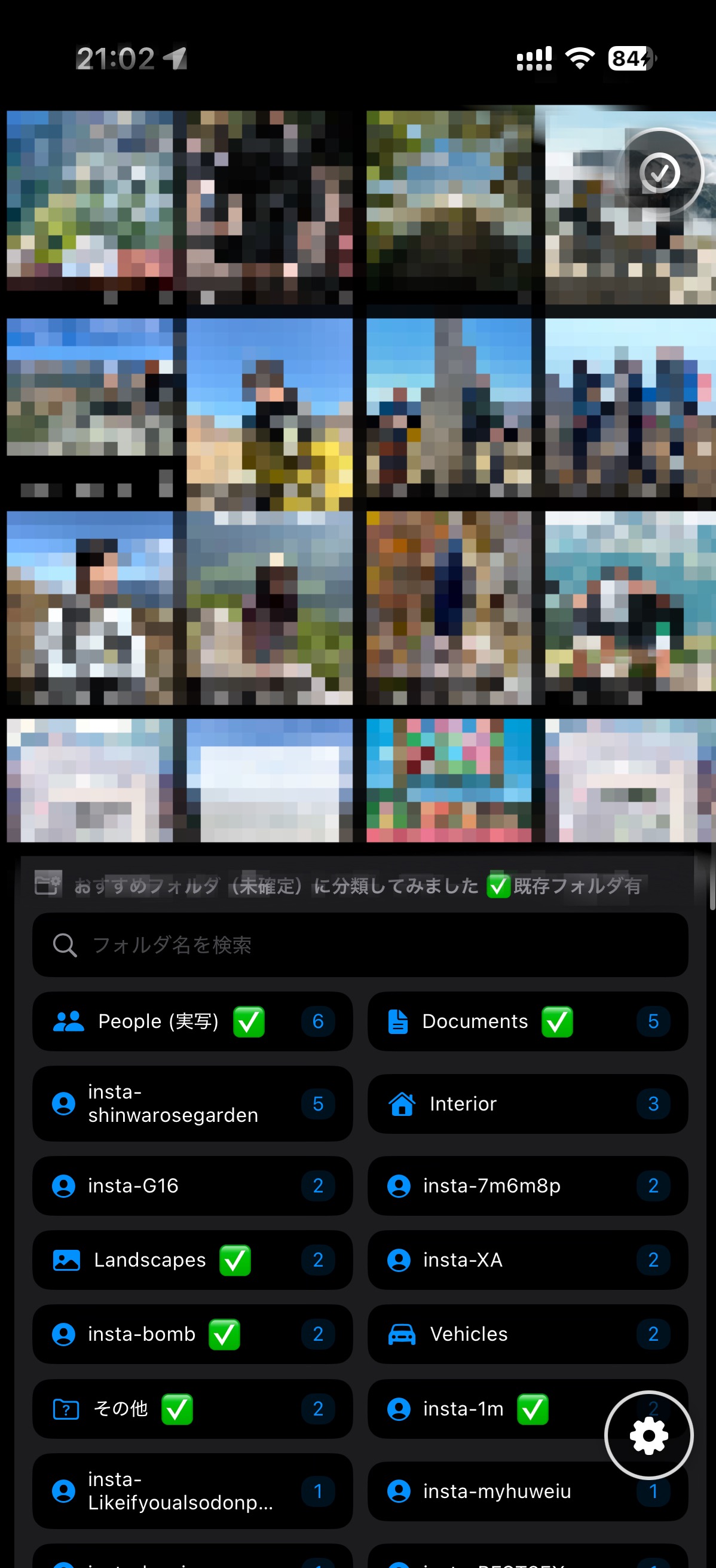 Folder suggestionsおすすめフォルダ
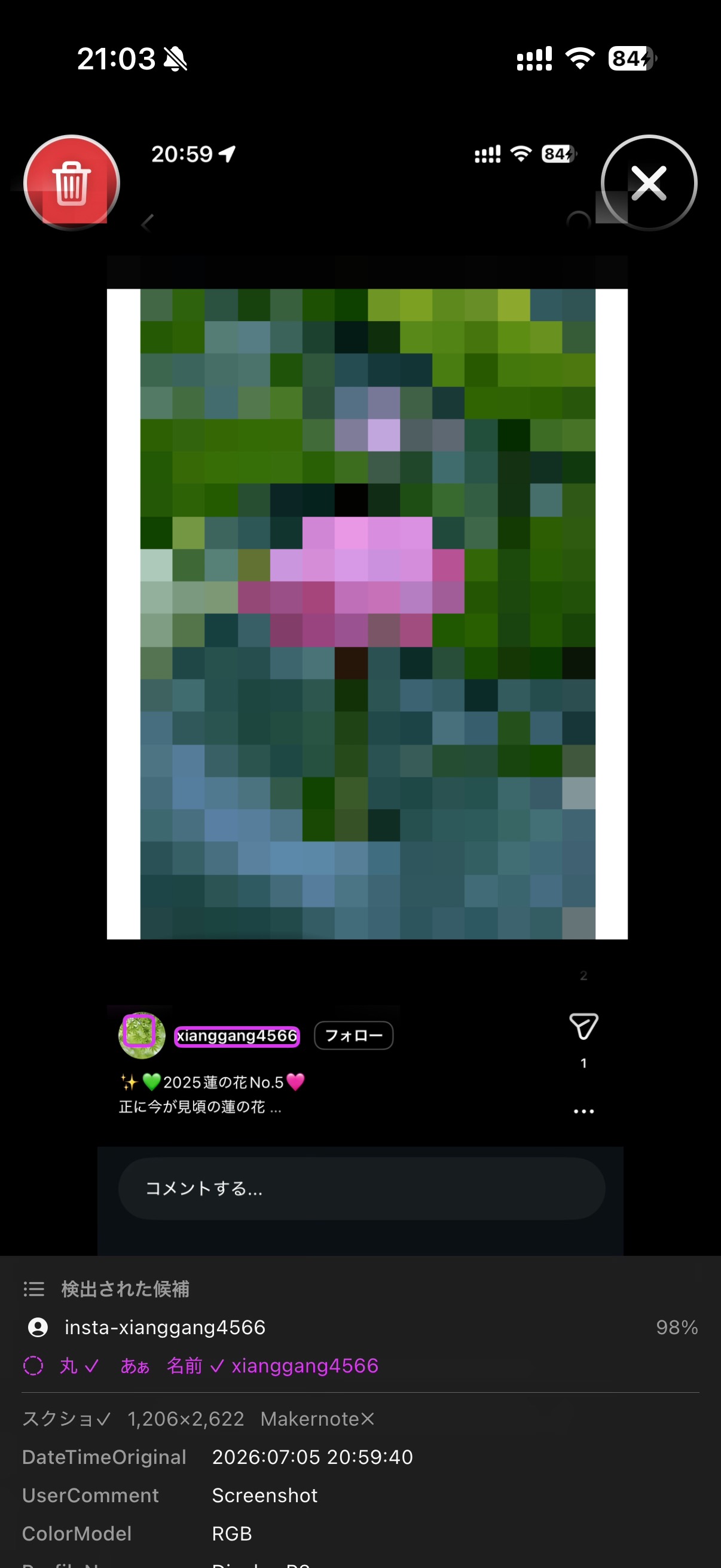 Why it matched判定の根拠
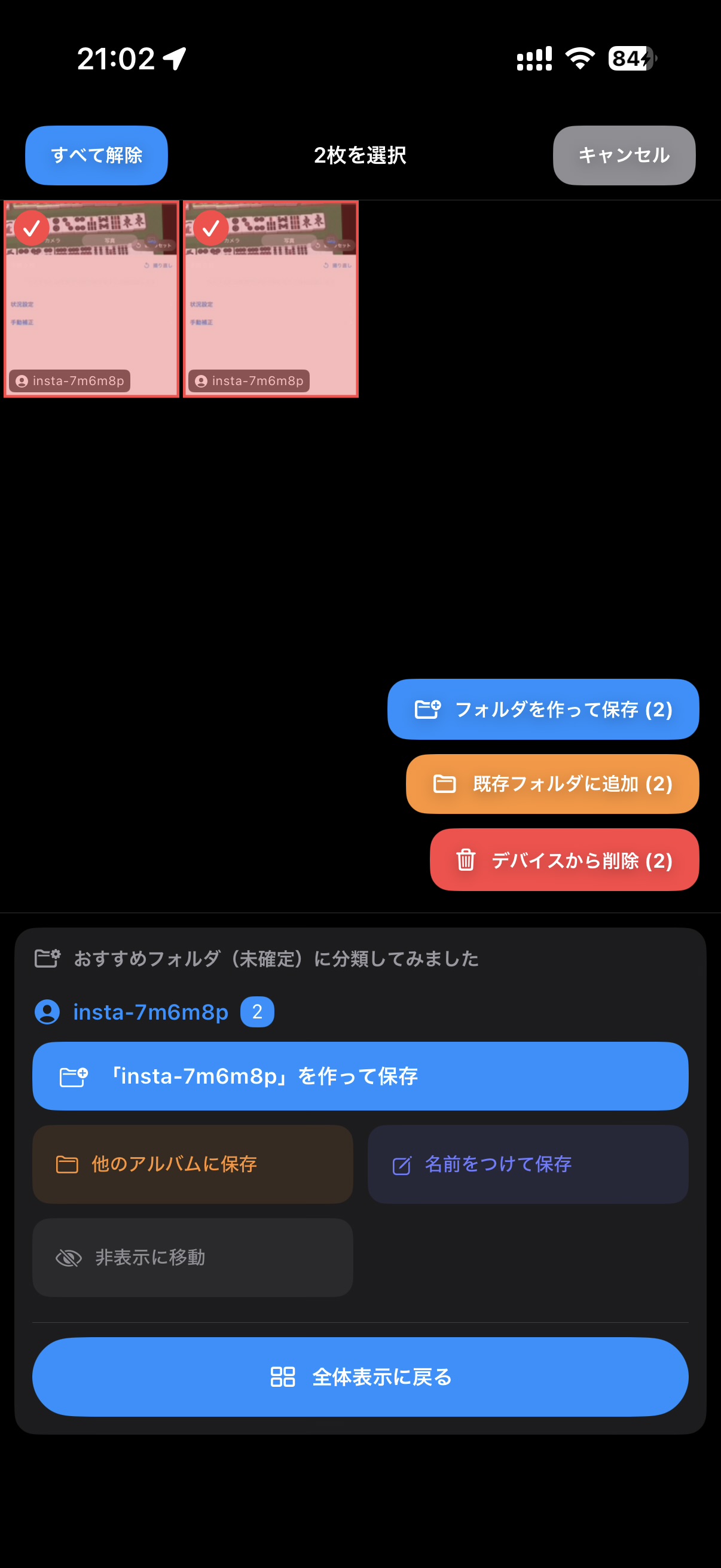 Free up space容量を解放
instaFolder analyzes each photo on your device and proposes a folder name — People, Landscapes, Documents, Interior, Vehicles and more — grouped and ready to review. 端末内で写真を1枚ずつ解析し、フォルダ名を提案します。People・Landscapes・Documents・Interior・Vehicles… 種類ごとにまとめて、すぐに確認できます。
Tap a folder to see its photos, or tap a photo to see the full image and exactly why it matched — the detected handle, screenshot flag, and metadata. Then save to a new or existing album. フォルダをタップして中身を確認、写真をタップすれば拡大画像と「なぜその候補になったか」(検出したユーザー名・スクショ判定・メタデータ)まで見られます。納得したら新規/既存アルバムへ保存。
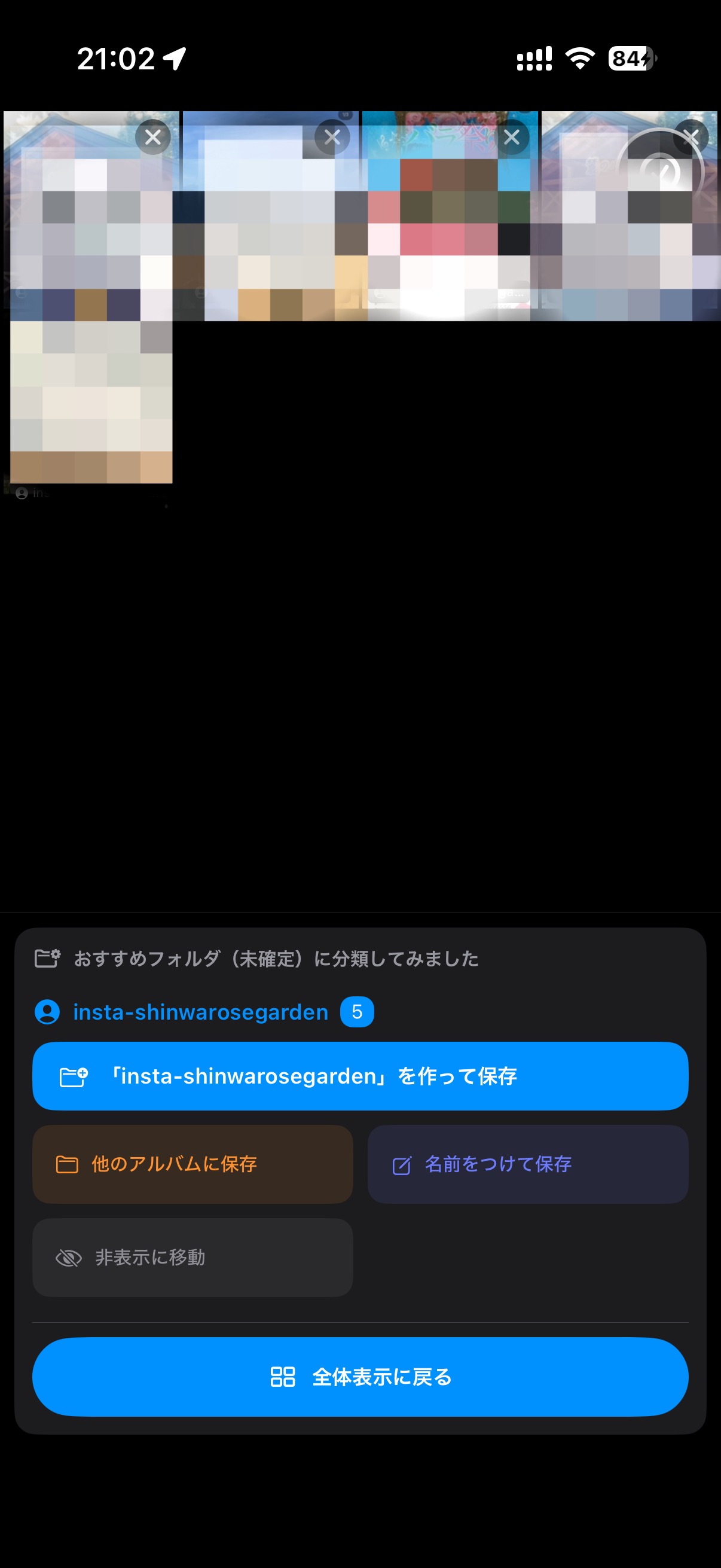
Select multiple photos at once to delete them from your device or move them into Apple's Hidden album. Sort the keepers, clear the clutter — all in the same flow. 複数の写真をまとめて選び、デバイスから削除、または iPhone の「非表示」フォルダへ移動。残すものは振り分け、いらないものは一掃、同じ画面で完結します。
Everything runs on your iPhone.すべての処理は iPhone の中で完結します。
Image analysis + metadata suggest a folder for every photo.画像解析+メタデータで、写真ごとに最適なフォルダを提案。
Reads the username from Instagram-style screenshots.Instagram風スクショから投稿者名を読み取り。
Suggestions only — you confirm before anything moves.あくまで候補。確定するまで写真は動きません。
Delete or hide unneeded photos as you organize.整理しながら不要な写真を削除・非表示に。
Your photos never leave your phone for analysis.解析のために写真が外部へ送られることはありません。
Free to use with ads; PRO removes ads and caches more.広告つきで無料。PRO で広告を非表示&キャッシュ増量。
instaFolder is available now on the App Store.instaFolder は App Store で公開中です。